







RDMA ✕ DEXAIMDMA
Couldn't load pickup availability
What is RTL8125 and RTL8126? Which do I need?
To use RDMA, you need a high speed, 2.5G or 5G Realtek (RTL for short) 2.5G (8125) or 5G (8126) network card installed in the GAMING PC. RTL8125 and RTL8126 is the chipset of the network card.
The difference between the two is speed. RTL8126 is 100% faster than RTL8125. Expect DMA read speeds of over 20,000.
Requirements
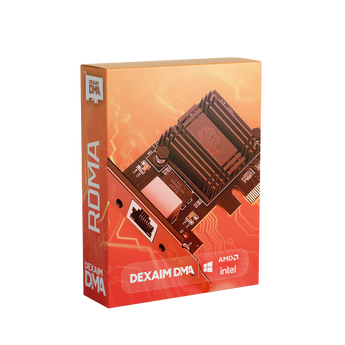
RDMA requires a NIC with the RTL8125 or RTL8126 chipset. We recommend:
OR
We recommend a high-speed ethernet cable:
- 1x - CAT6A Ethernet cable
Couldn't load pickup availability
What is RTL8125 and RTL8126? Which do I need?
To use RDMA, you need a high speed, 2.5G or 5G Realtek (RTL for short) 2.5G (8125) or 5G (8126) network card installed in the GAMING PC. RTL8125 and RTL8126 is the chipset of the network card.
The difference between the two is speed. RTL8126 is 100% faster than RTL8125. Expect DMA read speeds of over 20,000.
Requirements
RDMA requires a NIC with the RTL8125 or RTL8126 chipset. We recommend:
OR
We recommend a high-speed ethernet cable:
- 1x - CAT6A Ethernet cable

DITCH THE USB. THE NEXT EVOLUTION OF HARDWARE STEALTH.
No DMA card needed.
Think of standard DMA like carrying physical files between two rooms. The classic method requires a physical USB cable connecting your DMA PC directly to the DMA card in your gaming PC. While effective, it limits your physical setup and leaves a trace on your main machine’s USB controllers.
RDMA (Remote Direct Memory Access) changes the game. Instead of pushing data through a physical USB cable, RDMA opens a direct, high-speed door between the two machines over your local network. Your secondary PC fetches the memory data itself through your standard Ethernet connection. No USB cables, no proximity restrictions, and absolutely zero load on your primary PC.

don't miss out on the dma experience
DMA without the hardware.
Remote Direct Memory Access (RDMA) is the next evolution in DMA 2PC setups, allowing your secondary machine to read your primary gaming computer's memory directly over a standard, high-speed network connection. By completely eliminating the need for physical PCIe DMA cards, expensive custom firmware, or messy USB cables, RDMA relies solely on a seamless, localized network link between your two devices. This streamlined, plug-and-play architecture delivers professional-grade tactical intel and zero-latency data transfer, offering competitive gamers the ultimate undetected advantage with absolute minimal setup complexity.

easy setup. no complicated hardware.
What do I need?
RMDA needs only a few things to work: two (2) CAT6A ethernet cables (or better), and a network card installed in the GAMING PC using the Realtek RTL8125 or RTL8126 chipset, and a second PC (to run the DMA product you wish to use).
Setup is simple. Install the network card into the GAMING PC. Connect one ethernet cable from the GAMING PC to the router. Connect the second ethernet cable to the DMA PC and router. Follow our setup guide for RDMA after you purchase a license.

Works with most Anti-Cheats
RDMA does not need firmware to operate. Natively, RDMA supports most anti-cheats, including: EAC, EAC+, BE, RICO, JAVELIN, ACE, and VGK. Does not work with FACEIT.


